## [Extending Utility Classes](/documentation/extend-glazed-builder-utility-classes)
- [Drupal 8+](#qeWkay)
- [Drupal 7](#jcUiMx)
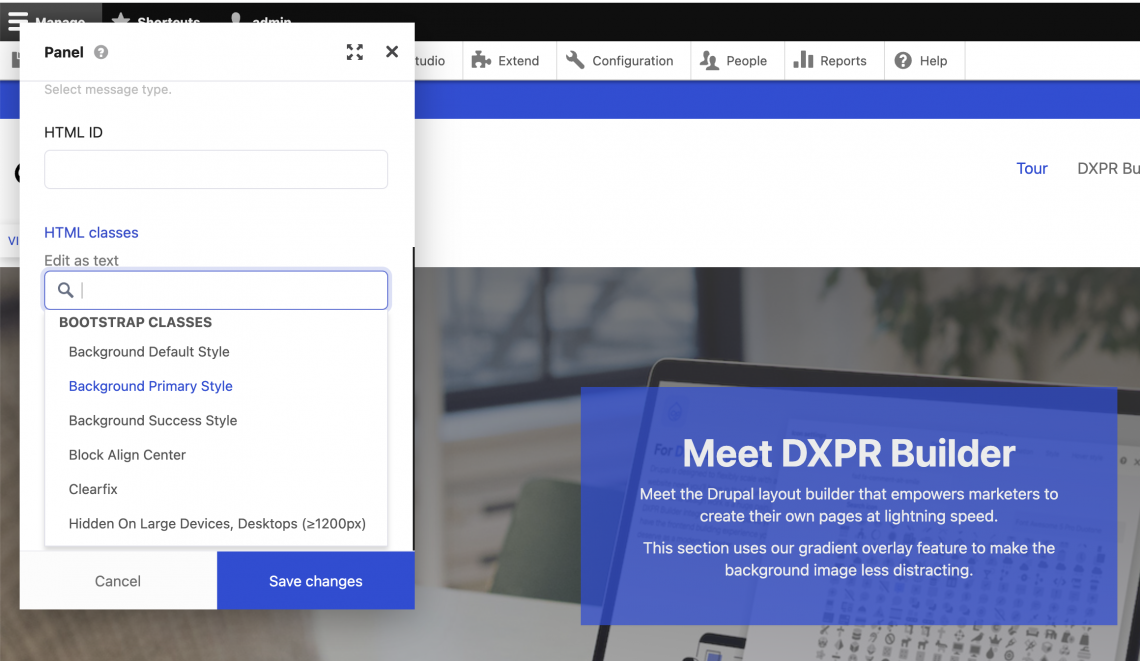
## Utility Class In DXPR Builder (Drupal 8)
### Option 1: Define classes in a theme
1. First find your theme's **.info.yml** file. For example your info file could be at **/XAMPP/HTDOCS/example\_site/themes/example\_theme/example\_theme.info.yml**
2. Open the **example\_theme.info.yml** file in a code editor and add your class to the end of the file in the format bellow:
```
dxpr_builder_classes:
dxpr-theme-util-overlay-accent1: 'color overlay: DXPR Accent1'
dxpr-theme-util-your-class: 'class label: your class'
```
3. Make sure to clear all Drupal caches after updating your theme’s info file. This can be done by pressing on **Configuration** in the toolbar at the top. Scroll down and look for **Performance**. When you are on the performance page the option to clear all caches will be there.
### Option 2: Define classes in a module
1. If you do not have a custom module you can do this by creating a new folder and naming it what you want e.g. **example\_module**
2. The folder will then be placed into the directory **modules/example\_module**
3. Then two files will be made using a code editor:
1. **example\_module.info.yml**
2. **example\_module.module**
4. Open the **example\_module.info.yml** in a text reader and add the lines
```
name: Example
type: module
package: custom
core: 8.x
```
5. Open your example\_module.module file and add classes using the formatting in the function below. In the below example code replace example\_module with the name of your module.
```
/**
* Implements hook_dxpr_builder_classes_alter().
*/
function example_module_dxpr_builder_classes_alter(&$dxpr_builder_classes) {
$dxpr_builder_classes['optgroup-my-group'] = t('My Option Group');
$dxpr_builder_classes['my-class'] = t('My label');
}
```
6. Make sure to clear all Drupal caches after updating your theme’s info file. This can be done by pressing on **Configuration** in the toolbar at the top. Scroll down and look for **Performance**. When you are on the performance page the option to clear all caches will be there.
## Utility Class In DXPR Builder (Drupal 7)
### Option 1: Define classes in a theme
1. First find your theme's **.info** file. For example your info file could be at **/XAMPP/HTDOCS/example\_site/sites/all/themes/example\_theme/example\_theme.info**
2. Open the **example\_theme.info** file in a code editor and add your class to the end of the file in the format bellow:
```
dxpr_builder_classes[your-class] = Class Label
```
3. Make sure to clear all Drupal caches after updating your theme’s info file. This can be done by pressing on **Configuration** in the toolbar at the top. Scroll down and look for **Performance**. When you are on the performance page the option to clear all caches will be there.
### Option 2: Define classes in a module
1. If you do not have a custom module you can do this by creating a new folder and naming it what you want e.g. **example\_module**
2. The folder will then be placed into the directory sites/all/modules/**example\_module**
3. Then two files will be made using a text reader:
1. **example\_module.info**
2. **example\_module.module**
4. Open the **example\_module.info** in a text reader and add the lines
```
name = Example
description = Example of a module
core = 7.x
```
5. Open your example\_module.module file and add classes using the formatting in the function below. In the below example code replace example\_module with the name of your module.
```
/**
* Implements hook_dxpr_builder_classes_alter().
*/
function example_module_dxpr_builder_classes_alter(&$dxpr_builder_classes) {
$dxpr_builder_classes['optgroup-my-group'] = t('My Option Group');
$dxpr_builder_classes['my-class'] = t('My label');
}
```
6. Make sure to clear all Drupal caches after updating your theme’s info file. This can be done by pressing on **Configuration** in the toolbar at the top. Scroll down and look for **Performance**. When you are on the performance page the option to clear all caches will be there.